Showing posts with label check weighers. Show all posts

Wednesday, March 13, 2024

Packing Controller M04 Calibration


 Hi, welcome to General Measure’s channel. In this video, we are going to demonstrate the M04 calibration process.

 Weighing Controller M04 stainless steel version is a multi-software functional weighing instrument with packing, bulking(continuous weighing), and liquid filling applications. The full stainless steel out-case is robust and durable.


M04 Front Panel

Before the calibration process, I will briefly go through the front panel of M04.

There are mainly three parts:

Display area: displays weighing data, status, and formula information.

Numeric keys: for data input and shortcut parameter selection.

Function keys:

【ZERO1】for data zeroing.

【ZERO2】in the totalization interface, it can clear all formulas and user totalization.

【M】Menu key to enter the setup parameter menu.

【ESC】Exit key to exit the current page or return to the previous page.

【ENTER】to confirm the operation. On the main page is the shortcut key for parameter setting. For different parameter setups, you can press the corresponding numeric keys.


M04 Calibration Process

Now let's begin calibration of M04.

There are two calibration methods for M04: weight calibration and material calibration.

Weight Calibration

Weight calibration has four steps

  1. Enter the calibration
  2. Set parameters

3. Zero calibration and weight calibration

4. Verify the calibration linearity


Let’s start operating.

Firstly, power on M04, the default login user is the operator. You can press the【0】key to switch the user. The initial login password is 000000. Then press the【M】to enter the parameter menu. The calibration can be found in the left column. Press the 【ENTER】to key in the password, and you will enter the page of the calibration scale.

Set Parameters

Then we set the unit, decimal point, division value, weight range, and other parameters, which are set according to the application. The setting values in this video are only for demonstration purposes.

Press【ENTER】to set the unit, there are g, kg, t, and lb can be used.

You can press the direction keys to switch. Here, we set the unit as g, press【ENTER】to confirm.

Get to the decimal point setting page. There are options as 0, 1, 2, 3, 4. We set the decimal point to 0. Press the【ENTER】confirm

Setting the minimum division value, we have 6 options, respectively, 1, 2, 5, 10, 20, and 50. We set the minimum division value of 1 here.

Then, set the weight range. Generally, we set it as the maximum weight of the load cell. According to the scale we use, we set the range to 10000, and press【ENTER】to confirm.

Zero Calibration and Weight Calibration

Enter the zero calibration, and make sure that there is no object on the scale. After【stable】sign outputs, press the【ENTER】to get the voltage at zero point. The upper area displays the weight that is 0. The lower area displays the voltage at zero point.

Put 200g weights on the scale. After the scale is stable, enter the weight calibration interface and input 200. The weight calibration is completed.

Verify Calibration Linearity

The current weight is 200g on the scale. Put on another 200g weight, the M04 shows 400g. Remove all weights, it displays 0g, which conforms to reality. The verification is finished, and the calibration is successful.


Material Calibration

If without weights or inconvenient to use weights on site, we can also carry out material calibration. The material calibration is only applicable to the hopper mode for M04.

Step 1: Make sure that the scale is empty, after【stable】sign outputs, click the digital button【1】to start calibration.

Step 2: Click【2】to open the filling gate. So you can put materials on the scale, click【2】again to close the filling gate. Click【3】to open the discharging gate, and the materials will flow out. Then click【3】to close the discharging gate.

The third step: weigh the test materials by a standard scale and record the data. Then press【M】to input the weight value recorded, and press【ENTER】to confirm.

We use 200g of weights for verification. You can see the weight data is correct. The material calibration is completed.


 We will continue to produce videos for products and operations. Subscribe to General Measure's channel. See you in the next video!

Monday, February 26, 2024

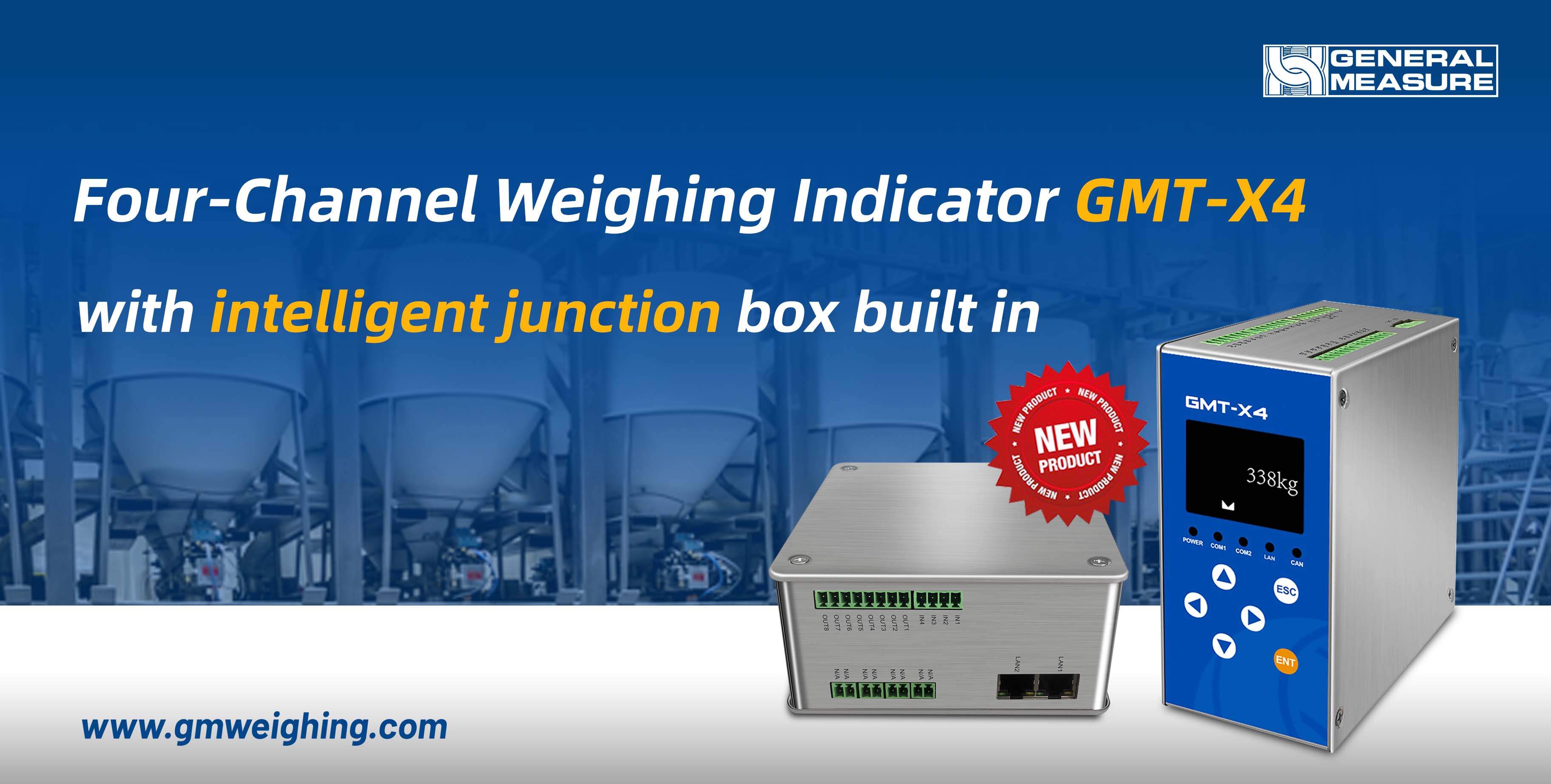
Weighing Indicator GMT-X4 Four Independent Channel with Combination Mode


Weighing Indicator GMT-X4 by General Measure is a DIN rail-mounted instrument that has two modes: one is with four individual AD working separately; the other one is a four-channel combination mode, that is, a weighing indicator with an intelligent junction box built in can easily monitor the defaulted load cell.


The main display of GMT-X4 combination mode shows the total weight up to 6 digits. It also has a four-channel weights display and a simultaneous millivolt display. If there is one channel of load cell failure, the main display would have the error notice. Enter the inner page to check the details; GMT-X4 will identify which channel is disconnected, and which is convenient for troubleshooting.


GMT-X4 combination mode also has various communication options to choose from: Modbus TCP/IP, Ethernet IP, Profinet, Ethercat, CCLink IE, CAN open, and one analog output. With competitive competency, GMT-X4 can fulfill your requests in many weighing applications, like silo/tank weighing, batching, liquid filling, and so on.


Apply one free sample unit for testing; more features await you to discover.


Tuesday, September 19, 2023

The Parameters Setting of weighing transmitter GMT-H2


In this video, Genear Measure's technician will demonstrate how the set the GMT-H2's parameters, which include zeroing, tracking zero point, and stability criterion. First, we need to understand the basic parameters which include zeroing, tracking zero point, and stability criterion. 

  • Zeroing

Zeroing consists of "power-on zero range" and "clear range".

Both are within the percentage range of the maximum range.

1. Power-on zeroing: auto zeroing within the maximum weighing range

when the instrument is powered on.

2. Zeroing: manual zeroing during operation.

  • Tracking the Zero Point

Zero tracking consists of "zero tracking range" and "zero tracking time". During the zero tracking time, if the weight change is within the tracking range, the weight comes to zero when the time is up.

  • Stability Criterion

The stability criterion includes "stability range" and "stability time". During the stability time, if the weight change is within the stability range, we can say the result of weight is stable.

For operating steps, please check the video.

In the next video, we will show you How to set the preset point of GMT-H2. We will continue to bring videos of the latest products. Follow General Measure. See you in the next video!

Tuesday, September 12, 2023

The Calibration Method of GMT-H2


Hi, Welcome to General Measure’s channel. In this video, we are going to demonstrate the GMT-H2 calibration process. We need to set some parameters before calibration, which include unit, decimal point, division, and capacity. Please follow the application requirements. C1.1 is the unit, for demonstration, we set the unit as gram. C1.2 is the decimal point, set it as zero. C1.3 is the division, here we set it as 2. C1.4 is the capacity. According to the weighing platform, we set it as 1000. The calibration parameters setting is completed.

Zero Calibration

Enter the zero calibration, There are two ways, automatic acquisition or manual input. When using automatic acquisition, clear the scale and keep it stable without alarm or overflow. Then press ENTER to complete the calibration. When using manual input, enter the zero calibration, press OPTION to enter the millivolt input interface, enter the recorded history of zero millivolt data, and press ENTER to complete the calibration.

The Gain Calibration

Enter the gain calibration, There are also two ways, respectively, calibration with weights or theoretical value calibration. OFF means calibration with weights, and ON means theoretical value calibration. Select OFF to enter calibration with weights. Load a known weight. After the scale platform is stabilized, press ENTER to enter the weight input interface. Enter the weights, and press ENTER to complete the gain point 1 calibration. If you need to carry out multi-point calibration, continue to load a known weight. When the platform is stabilized, press ENTER into the weight input interface. Enter the total weights, and press ENTER to complete the calibration of the gain point 2. Follow this method, until the required calibration of the gain point is completed. Then return to the main page to check the weight. If there is an error in the weight, you can set the calibration correction coefficient to correct.

When using theoretical value calibration, select ON to enter the theoretical value calibration, SE indicates the load cell sensitivity. Set up it according to the sensitivity given by the load cell manufacturer. Press ENTER to confirm. CP means the capacity of the load cell. Set up according to your load cell capacity, press ENTER to complete the theoretical value calibration.

In the next video, we will show you how to set up the parameters of GMT-H2. We will continue to bring videos of the latest products. Follow General Measure. See you in the next video!

Friday, August 25, 2023

Brand New Harsh Mount Weight Indicator GMT-H2


GMT-H2 is a new harsh mount weighing indicator for weight transmission on the industrial site. It has a superior appearance and stable performance, and it is easy to operate. GMT-H2 can be widely used in lithium batteries, chemical, feed, concrete mixing, and other industrial automation fields for silo weighing, platform weighing, weight checking, loss-in-weight, liquid filling, batching, and so on.

A closer look at GMT-H2 shows it is a stainless steel housing case with a water-proof connector. The front has 6-digit 2-inch LED display, 6 status indicators, and 5 shortcut keys. With the General Measure blue label, the overall design is exquisite. 

GMT-H2 supports RS485 and RS232, 4 input and 6 output I/O communication, optional analog output, and optional Modbus TCP/IP or ProfiNet or EtherNet/IP. 

For more information, please check the video and have a look. We will release more operation videos about GMT-H2 soon.

Monday, February 27, 2023

General Measure ChexGo Checkweigher in Food and Pharmaceutical Industry


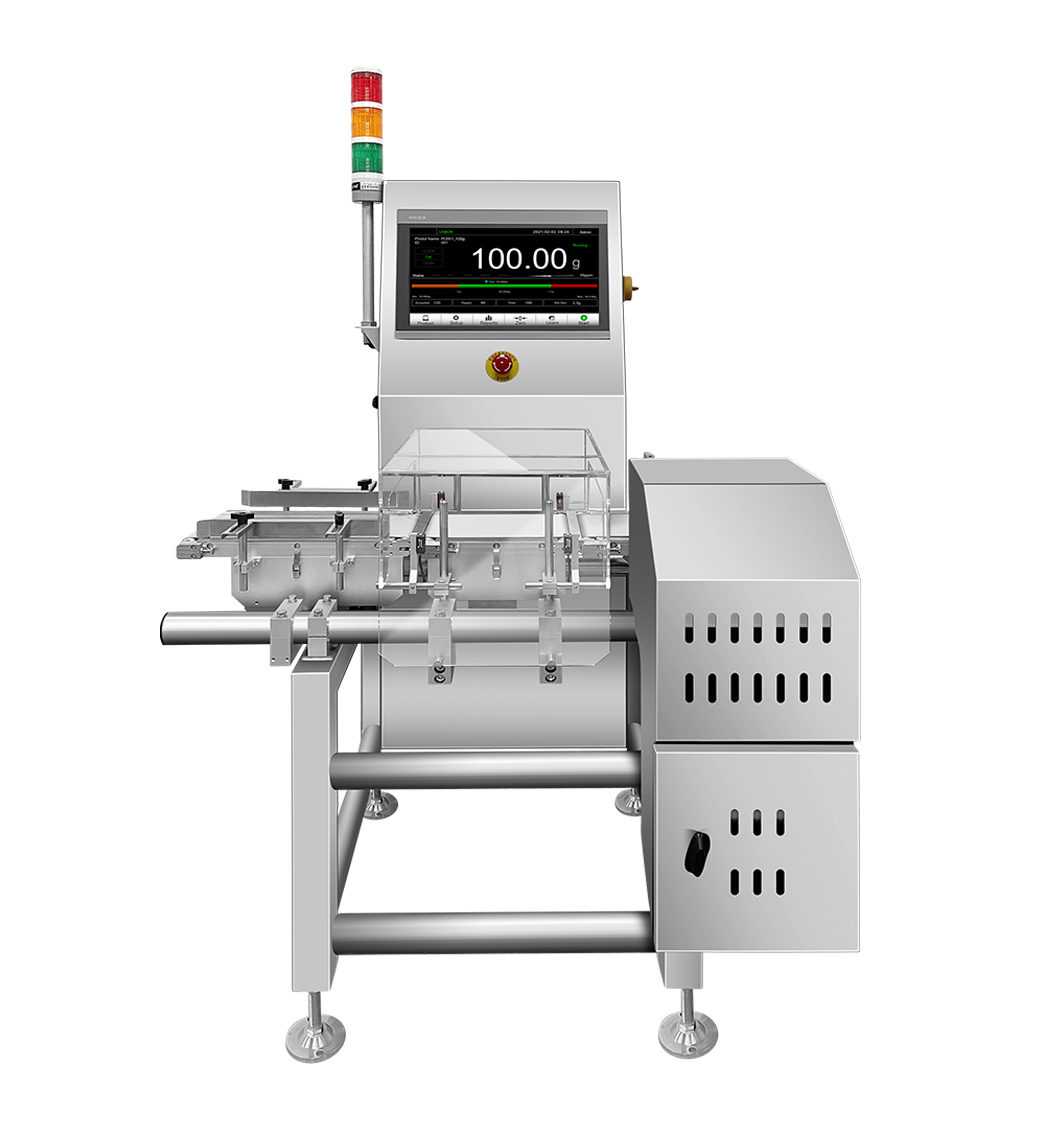
General Measure’s ChexGo series checkweighers have various scales covering 1g to 60kg. The small weighing range check weighers are usually used in the food and pharmaceutical industry for products with boxes, bags, bottles, etc. Different types of rejectors are available to select, such as air blow, push type, swing arms, and so on.

The weighing range of CW-100G check weigher is from 1g to 500g. The accuracy can reach ±0.1g. CW-600g checkweigher can weigh 10g to 600g. The accuracy can be ±0.5g. Check the video for the small weighing range check weighers application in the food and pharmaceutical industry.

For more information, please see: https://www.gmweighing.com/product/checkweighers

Sunday, February 19, 2023

ChexGo Checkweigher CW-15K in Food Industry


GM ChexGo checkweigher CW-15K is combined with inkjet in the food industry. Its stability and accuracy are widely recognized by clients.

The weighing range is from 100g to 15 kg. The accuracy is within ±5g. 10-inch touch screen with a module design interface and instant interaction provides an easy and smooth operation experience.

Check the video to see the applications.

Tuesday, September 27, 2022

How to Setup a New General Measure Checkweigher CW-60K


When you purchase a new General Measure checkweigher CW-60K, and you are wondering how to set it up. Check this video for the details.

  1. Static calibration;
  2. Product parameter setting;
  3. Dynamic calibration;
  4. Rejection setting;
  5. USB data export;

Just following the instruction, you can easily operate a new General Measure check weigher. 


Friday, September 23, 2022

General Measure Brand New Update Checkweigher CW-100G Pro

General Measure designed a new checkweigher CW-100G Pro, which performs better than the old version. With the highest accuracy of ±0.1g and speed of 300pcs/min, it is widely used in the food and pharmaceutical industry.  


The checkweighing control box is designed in the house, with 30 years of designing and manufacturing weighing controllers. A 15-inch touch screen shows the operation interface more clearly. The whole stainless steel mechanical design builds a robust checkweigher. The core components are all from the famous brand, such as HBM load cell, FESTO solenoid valve, Schneider electronic, XINJE servo motor, and so on, which ensure stable and durable performance.


For more information, please get in touch with General Measure.


Monday, September 19, 2022

How to Remove the Limit Screws for Checkweigher


When you receive a checkweigher, but can not use it immediately
Why?

It is because the manufacturer has added the limit screws on the load cell module to protect it from damage caused by external forces.

So we can see there is a small gap between the load cell and weighing platform. The load cell indenter can be rolled easily.

In this case, we need to remove the limit screw before we use it.
Both limit screws should be taken down properly.

Once the screws have been removed the weighing platform and load cell would touch perfectly. Then, the checkweigher can work in a dynamic weighing line

For more information on checkweighers, please contact General Measure.


Monday, September 5, 2022

How to Setup a New General Measure Checkweigher


When you purchase a new General Measure checkweigher, and you are wondering how to set it up. Check this video for the details.

  1. Static calibration
  2. Product parameter setting
  3. Dynamic calibration
  4. USB data export

Just following the instruction, you can easily operate a new General Measure check weigher. General Measure ChexGo series check weighers are very handy, user-friendly, stable, and durable.

Friday, August 19, 2022

General Measure Participated Lithium Industry Technology Forum


General Measure Participated in 2nd China Lithium Battery & Materials Advanced Technology and Intelligent Manufacturing Forum, from 14th to 15th August. Check it out.


Thursday, July 21, 2022

Weight Indicator GMT-P1 and Load Cell Configuration for Molding Factory


General Measure engineers provided the configuration service of weight indicator GMT-P1 with load cells and junction box
for a molding factory. 

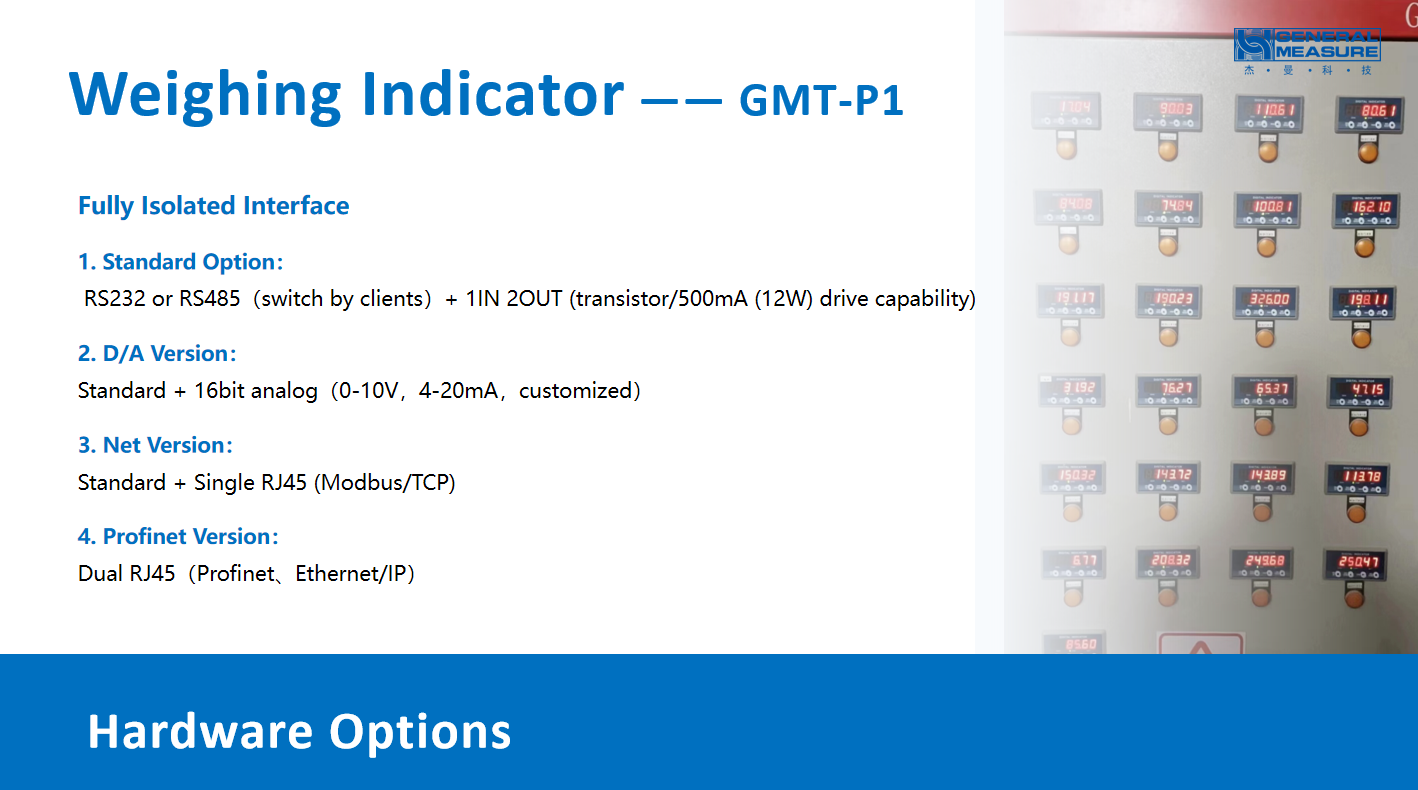
There are 4 loadcells in one silo connected by a junction box to a weight indicator GMT-P1 for monitoring the incoming and outgoing weights of materials, as well as transmitting the weights data.

Check it out.


Wednesday, July 6, 2022

Do You Want To Reduce The Loss During Production by GM ChexGo Checkweighers


Do you know how much cost you can save from the production waste or labor? General Measure ChexGo series checkweigher can help you save the labor cost, reduce the loss from production waste and increase production efficiency by automatically checking the weight of products and rejecting unqualified ones to protect brand reputation.


General Measure's checkweighers can easily replace the labor to build in the production line for automatically checking the weights of products. The automatic feedback system of checkweigher can send every checked product weight as pulse signals to the packing machine through the IO ports. With the advanced algorithm and automatic control system, each pack's weight's accuracy will be improved to reduce loss and improve efficiency. All the statistical data can be exported through the USB.


In ChexGo series, currently, there are 5 different models, which are CW-100G, CW-600G, CW-1.2K, CW-15K, CW-60K. CW-100G (weight range: 1-500g) is suitable for checking the packs' weight of medicine, snack food, cosmetics or skin care, etc. The highest speed is 300pcs/min, and the highest accuracy can be ±0.1g. CW-600G (weight range:5-600g) and CW-1.2K (weight range:10-1200g) can be used for checking the weight of small boxes/bags/bottles of food&beverage, pet foods, and so on. The highest speed can reach 150-200pcs/min, and the highest accuracy is ±0.5g. CW-15K (weight range:0.1-15kg) and CW-60K (weight range:0.1-60kg) are usually applied in logistics, chemicals, grains, or construction industries to check the weight of big pack products. The highest accuracy can reach ±10g. When the product is over or under the set weight range, it will be rejected by the rejection device, such as the air blow rejector, push-type rejector, swing arm rejector, etc.


With the affordable price and good quality, General Measure ChexGo checkweighers are applied to thousands of factories of different industries in domestic and overseas markets.

Friday, June 3, 2022

6.5World Environment Day | General Measure Contribute to Build A Clean Earth

 Jun 5th, World Environment Day is coming soon. "Only One Earth" is the campaign slogan focusing on "Living Sustainably in Harmony with Nature". It is celebrated by millions of people across the world.  

  China has always advocated the green lifestyle of low-carbon and environmentally friendly, utilizing green technology innovation to reduce carbon emissions and increasing tree planting to neutralize carbon emissions. China strives to achieve a carbon peak by 2030 and carbon neutral by 2060 to jointly build clean and beautiful earth.  

  As a responsible enterprise pursuing sustainable development, General Measure intends to contribute our modest strength to constructing clean and beautiful earth.  


  As a professional industrial weighing instrument and equipment supplier, General Measure brings accurate and high-speed products to various industries' weighing and measuring processes. It reduces the waste in the production process, reduces energy loss, and improves efficiency. In addition, General Measure has been vigorously developing products related to the lithium industry in the past two years, providing essential weight transmitting and controlling for the production of new lithium energy batteries.  

  It is mainly used in the first stage of powder dosing and the weight proportioning of raw materials in the homogenizing and transferring tank.  

  1. General Measure GM8802 Profinet version: it is widely used in the homogenizing transit tank of major lithium battery equipment manufacturers to provide an accuracy guarantee for the raw material proportioning of lithium batteries.  

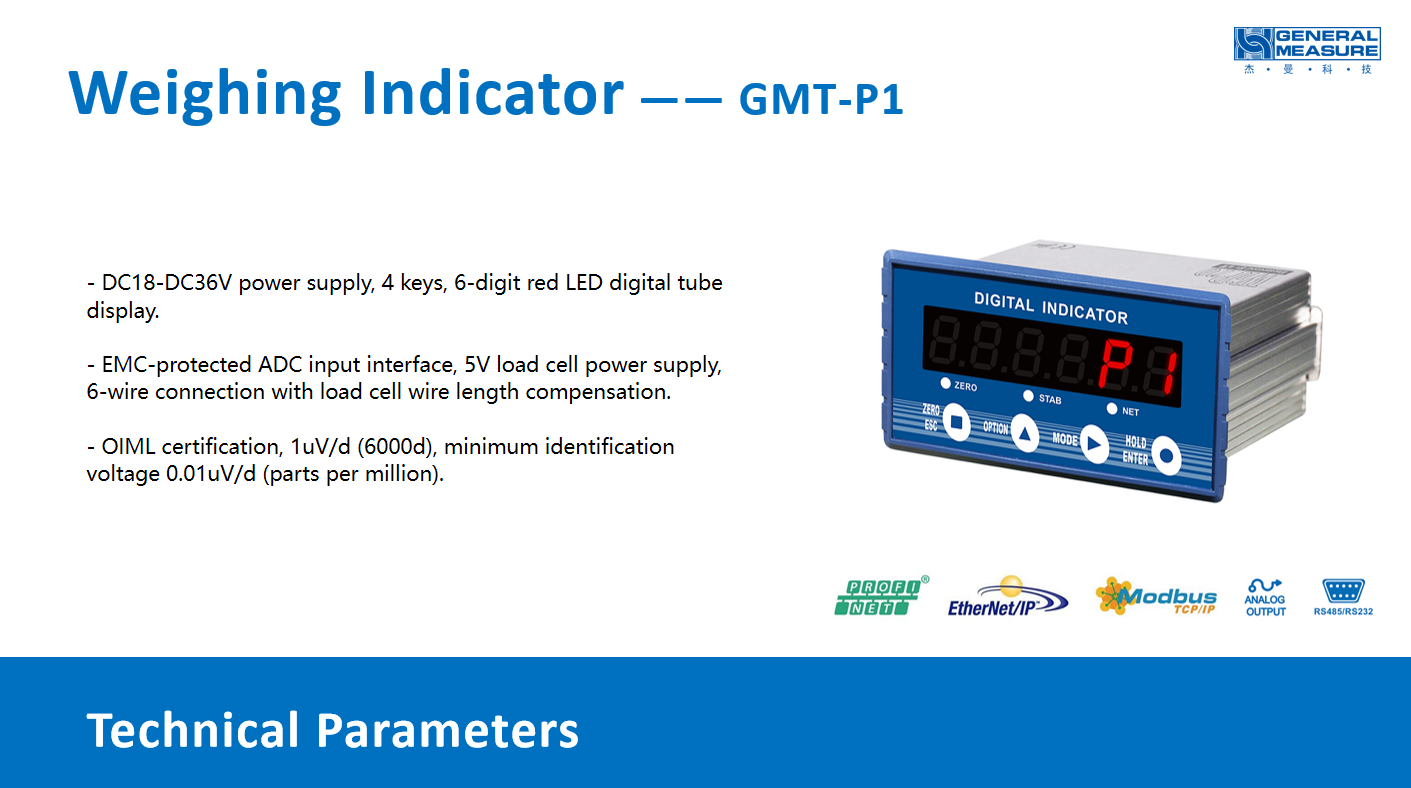
  2. General Measure GMT-P1 Profinet version: OIML R76 approval, the latest popular products. The annual sales are more than 10,000 units. The compact body (panel mount size 93*46mm, depth 91mm) saves space in the equipment electric control box. The package of GMT-P1 is simple and environmentally friendly, including a simple instruction brochure (scan the QR code on the body of the indicator to get the complete electronic version of the manual). Embedded with the anti-vibration filter, GMT-P1 has high-speed and high-accurate performance in a harsh industrial environment.  


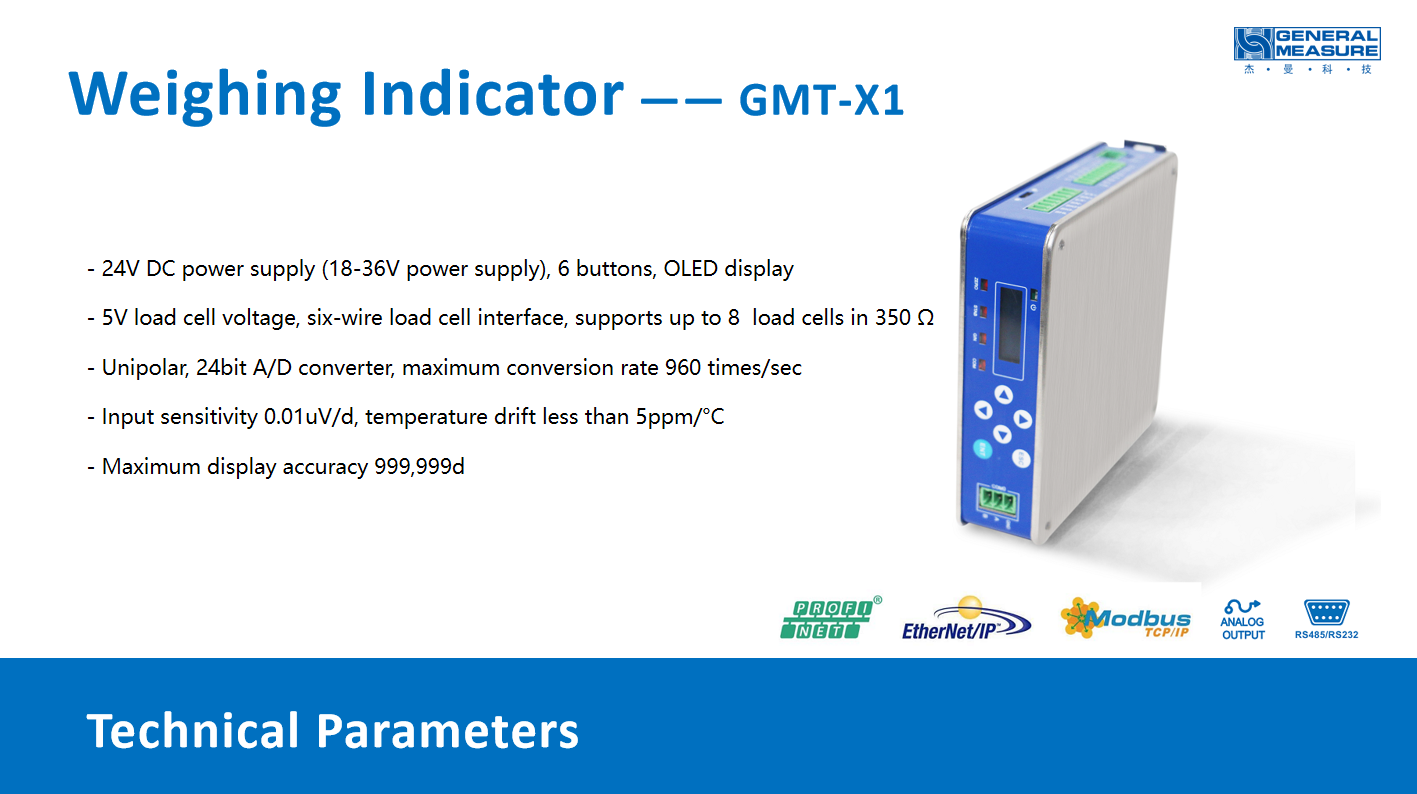
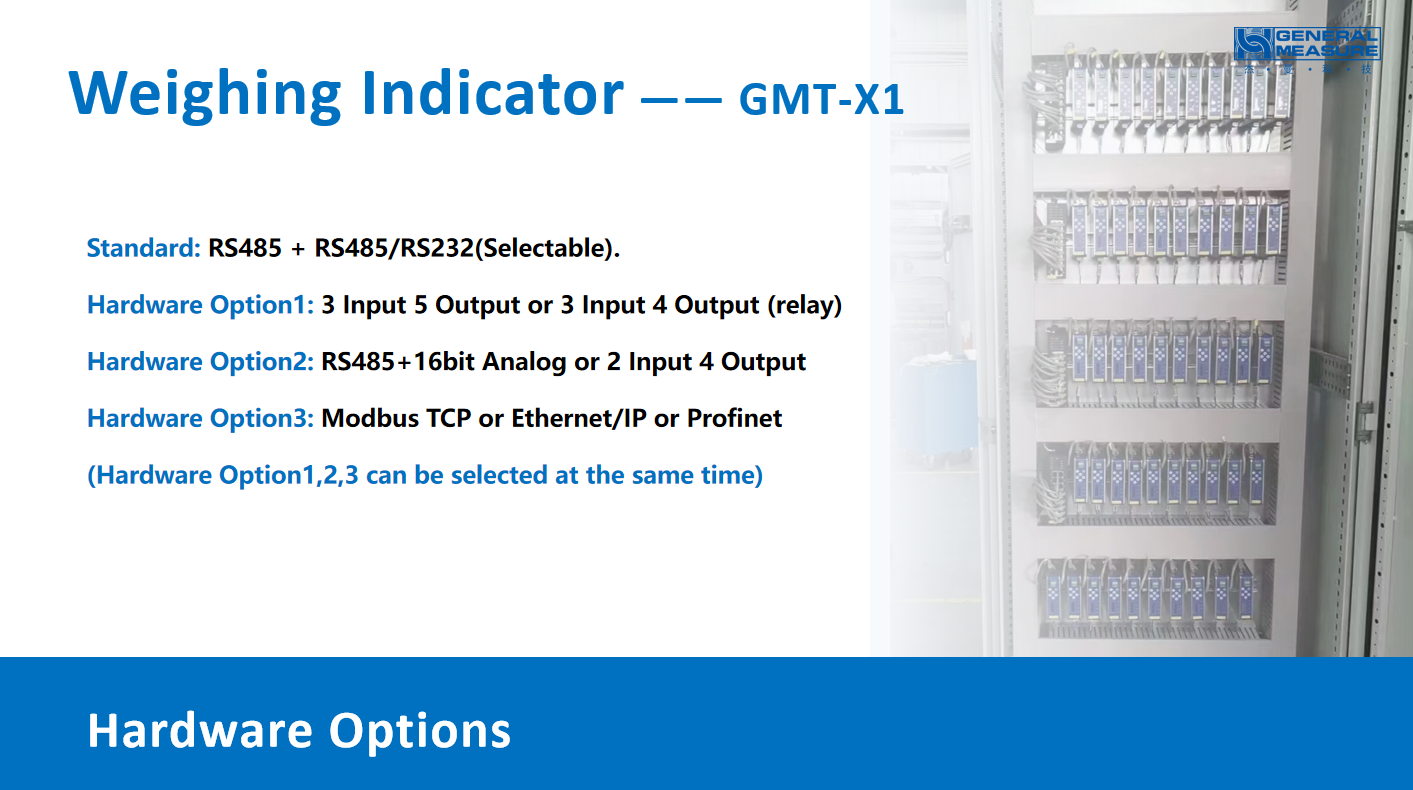
      3. General Measure GMT-X1 Profinet version: DIN rail-mount saves the space. With stainless steel housing, it is stable and durable. Support Bluetooth to connect mobile phone, by using Weasy APP can be configurated parameters and monitored IO port real-time status. Built-in Web page, GMT-X1 can be connected to the computer through a network port to realize remote parameter configuration and weight transmitter status monitoring.  

  In addition to front-end dosing, GM's weight indicators are also suitable for:  

  Coating machine: The indicator monitors the change of tension of copper and aluminum foil in real-time, which is convenient for system control to ensure the coating thickness is uniform and reliable.  

  Winding machine: The indicator monitors the change of tension when winding, which is convenient for system control to ensure winding quality.  

  Cold press/hot press machine: The indicator monitors the pressure when the cell is pressed to ensure the process requirements.  

  Liquid filling machine: The indicator monitors the cell weight to ensure the liquid filling quantity meets the process requirements.  

  Etc.  


  Under the background of carbon peaking and carbon neutrality goals, China vigorously develops new energy and advocates the concept of green energy-saving and environmental protection. General Measure also keeps practicing green environmental protection, producing environmentally friendly weight indicators used in the lithium new energy industry

Friday, May 20, 2022

Metrology in Digital Era | General Measure Weighing in Digitalization


In an era of the digital world, all the industries are looking for integrating digital technologies into their existing infrastructure of applications to transform the way they work and increase efficiency.

The organization of BIPM and OIML announced the theme of 2022 World Metrology Day is Metrology in Digital Era.

In this context, General Measure combines digital technologies into the practical applications of industrial weighing to bring convenience to customers.

1. Weighing transmitter GMT-X1 can be configurated and monitored by a mobile app: Weasy (available for android systems), connecting through Bluetooth. For instance, to save time and energy, we can use Weasy-app to calibrate the GMT-X1 and make sure it works properly. Moreover, when there is something wrong with the connection between PLC and weighing transmitters, we don't need to check the weighing transmitter one by one. Just opening weasy-app to check the parameters compared to PLC, we can easily find out which weighing transmitter is setting an error and simply correct it.

2. ChexGo series checkweighers are embedded with the automatic feedback system, which can send every checked product weight as pulse signals to the packing machine through the IO ports. With the advanced algorithm and automatic control system, the accuracy of each pack's weight will be improved, so as to reduce loss and improve efficiency.

3. General Measure Mini Data Center box can be connected through LAN port or wifi, using the weasy web page to import the data of checkweigher or packing machine to the PC. It can support up to 30 devices at the same time. When the connection failed during uploading,  it will save the progress automatically and reupload the data starting from the disconnected entry if the connection recovers, solving the disconnection problem of uploading data and bringing convenience to data analysis and management.

Inventions with digital technologies facilitate people's work and life. General Measure always strives to innovate industrial weighing technology and manufacture high-quality products to benefit our clients.

Tuesday, March 29, 2022

The OFL Troubleshooting for weighing transmitter GMT-P1


In this article, we are going to share the weighing indicator OFL troubleshooting method.

Four main Causes for OFL:

1. Calibration error

2. Load cell install or wiring error

3. Overload or signal output below the zero point

4. Load cell or weighing indicator AD failure


Demonstrate Equipment: 

1. GMT-P1 weighing transmitter

2. A weighing platform and One 100g weight

3. A Multimeter 


Step 1,

First, we consider calibration error resulting in OFL, so we need to recalibrate the indicator. Enter the menu options, open the calibration menu, skip the previous decimal point, the division value, the range settings, to reach the load cell's current millivolt number display interface. If it shows the correct millivolt data, we enter the zero calibration menu, empty the weighing platform. Then, setting the gain calibration, place the weight on the weighing platform, and enter the right weight. The calibration is complete. We can move back to the menu interface to see if it has the proper weight display.


Step 2,

Suppose the load cell's current millivolt does not display properly. We can remove the load cell wiring from the GMT-P1’s terminals and use our multimeter to test the voltage between EX+,EX-. If the voltage cannot be measured, the AD part of the indicator has been damaged. If the voltage can be detected, move to step 3.


Step 3,

Remove the SIG+ and SIG- ends from the load cell wires, press on the weighing platform, meanwhile use a multimeter to measure the voltage between SIG+ and SIG- to see if the voltage is within a reasonable range (check the corresponding parameters of the load cell)

If the voltage is within the range and there is a change, we can estimate the OFL caused by overload weights or signal output below zero. If it is not within the range, we consider the AD part is damaged.

In this case, please contact your local equipment suppliers for help.


Step 4,

If it is not the above 3 problems, check if the loadcell gravity label is consistent with the direction of gravity, and check if the load cell wiring is correct. Or you can replace the load cell to exclude the load cell’s problem. 


That's all for OFL troubleshooting for GMT-P1. Don't forget to give us a like and follow us.

https://www.facebook.com/GMweighing

https://www.linkedin.com/company/gmweighing

https://twitter.com/GMweighing_

Sunday, March 6, 2022

Various Applications of General Measure Checkweigher in Different Industries


General Measure ChexGo series checkweigher has a wide weight range from 1g to 60kg by different models. With the stainless steel housing, it can work well in the harsh industrial environment and high hygienic standard environment.


Tobacco Pack Case

CW-600G was installed in the production line for the tobacco pack weight check. Ensuring the standard weight of 50g each pack, CW-600G will reject the underweight or overweight packs(±5g).


Flour Package Case

CW-600G and CW-1.2K were applied in this case. The stainless steel and FDA-approved belt reach FDA hygienic standards for the food industry.


Condom Pack Case

Each pack has 5 condoms each of which weighs 7g, in total around 46g. Checkweigher with the swing arm rejector will reject the pack when it is under 45g or over 47g to make sure each pack has the right number of products.


Assuring 100% of product weighing detection under the law and regulation will reduce the customer complaints and protect enterprise fame. Whilst replacing the manpower to lower the cost, ChexGo can help you increase the efficiency of the production line and avoid risks.

Monday, February 28, 2022

General Measure Weighing Transmitter GMT-H1 for Silo Weighing


GMT-H1 weighing transmitter is developed for managing incoming/outgoing material for silo weighing applications in concrete, asphalt mixing plants, feed, metallurgy and chemical batching industries.


In this video, we are going to demonstrate how to use GMT-H1 for silo weighing in managing in/out material weights.


Firstly, three important parameters need to be set, which are min in WT, min out WT, and in/out time delay. Entering the application settings, there is an IN/OUT materials setting page, which you can find these three parameters.


Here is an example, if it is the first time to set the parameters, we need to enter a six-digit password, the default password is 000000. Then enter the setting page, to set the minimum feed weight as 300g, and the minimum discharge weight is also set to 300g. Then we can set IN/OUT delay time to 1s, back to the home page. 


To verify if the setting parameter works, we put a 200g weight here, you can find there is no changes on GMT-H1, Likewise, we remove the weight, there is also no changes on display, as well as no signal for incoming and outgoing materials. That is because 200g is less than the minimum in/out weight we set. However when the 500g weight is placed on, we find that there is an in-feed symbol and the value is displayed after one second, and when the weight is removed,  the out-feed symbol is also displayed and the value is updated to the current WT after one second.


So the minimum IN/OUT weight means that when the material weight changes positively or negatively more than the set value, the weighing transmitter will consider that as a valid feeding or discharging action. The IN/OUT delay time provides that if the weight no longer changes within the set time, then the feeding or discharging is considered complete and the weight data is displayed.


GMT-H1 also offers a data recording function, which allows you to view one entry of data and daily weight data as well as the total accumulated data by entering the historical data page, which can also be accessed through the various communication protocols, like RS485,  Modbus-RTU, Modbus-TCP/IP, GPRS.


Tuesday, February 22, 2022

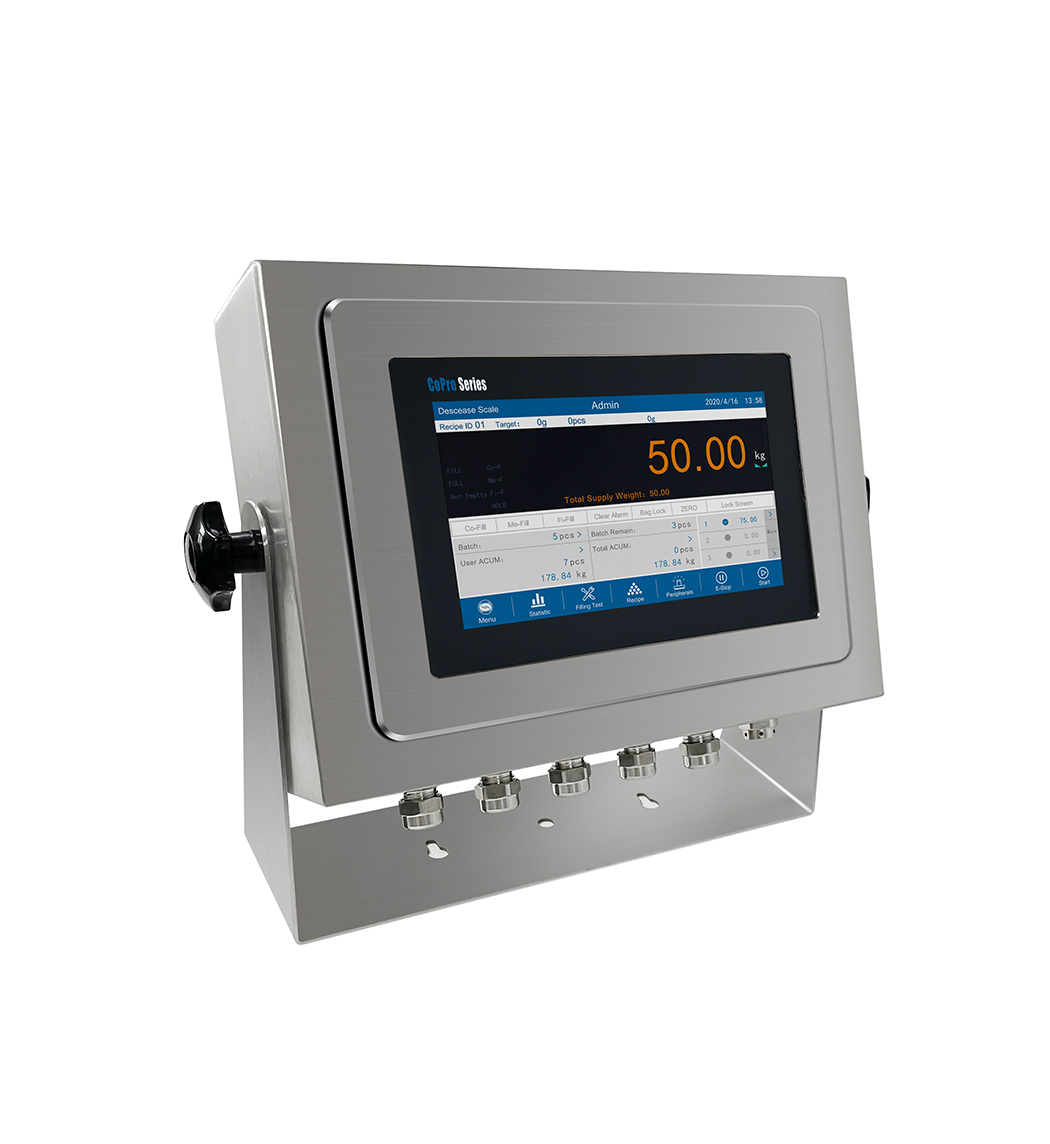
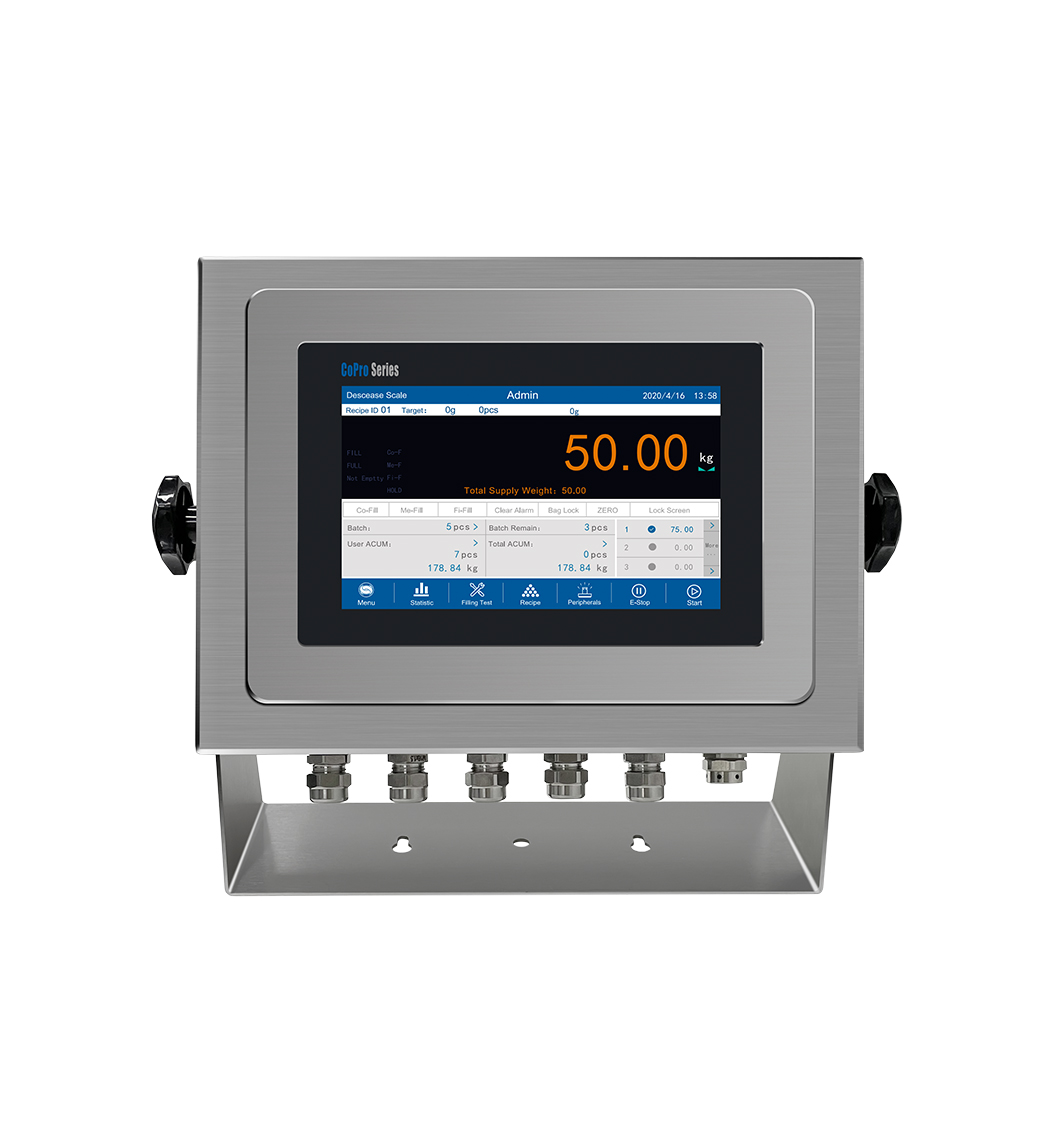
New Harsh Desk/Wall Mount Weighing Controller GMC-P7

General Measure weighing controller GMC-P7 is coming into the market. The harsh desk/wall mount installation version is added into the series for different applications. It is designed for dynamic weighing applications, such as single hopper packing machine; double hopper packing machine; reduce weight method packing machine; bulk scale, and batching scale.

Stainless Steel Housing

Suitable for harsh environment weighing applications. With mounting brackets for desk-top or wall-mount installation. Integrated power supply unit, sealed cable glands for connections.

Universal Use

Suitable for difficult environmental conditions and locations with high hygienic standards, as in the food, pharmaceutical and chemical industry. Multiple software can be selected for different equipment: single hopper packing machine; double hopper packing machine; reduce weight method packing machine; bulk scale and batching scale.

User-friendly Operation

Fast and error-free operation is ensured by a color display on the touch screen for the indication of weight, IDs, formula and so on.