General Measure launched the wall/desk mount weighing indicator GMT-P1 with stainless steel housing case. We are pleased to offer free sample testing. Check the video to learn more about GMT-P1. Feel free to contact us for your free sample testing.
General Measure launched the wall/desk mount weighing indicator GMT-P1 with stainless steel housing case. We are pleased to offer free sample testing. Check the video to learn more about GMT-P1. Feel free to contact us for your free sample testing.
In this article, we are going to share the weighing indicator OFL troubleshooting method.
Four main Causes for OFL:
1. Calibration error
2. Load cell install or wiring error
3. Overload or signal output below the zero point
4. Load cell or weighing indicator AD failure
Demonstrate Equipment:
1. GMT-P1 weighing transmitter
2. A weighing platform and One 100g weight
3. A Multimeter
Step 1,
First, we consider calibration error resulting in OFL, so we need to recalibrate the indicator. Enter the menu options, open the calibration menu, skip the previous decimal point, the division value, the range settings, to reach the load cell's current millivolt number display interface. If it shows the correct millivolt data, we enter the zero calibration menu, empty the weighing platform. Then, setting the gain calibration, place the weight on the weighing platform, and enter the right weight. The calibration is complete. We can move back to the menu interface to see if it has the proper weight display.
Step 2,
Suppose the load cell's current millivolt does not display properly. We can remove the load cell wiring from the GMT-P1’s terminals and use our multimeter to test the voltage between EX+,EX-. If the voltage cannot be measured, the AD part of the indicator has been damaged. If the voltage can be detected, move to step 3.
Step 3,
Remove the SIG+ and SIG- ends from the load cell wires, press on the weighing platform, meanwhile use a multimeter to measure the voltage between SIG+ and SIG- to see if the voltage is within a reasonable range (check the corresponding parameters of the load cell)
If the voltage is within the range and there is a change, we can estimate the OFL caused by overload weights or signal output below zero. If it is not within the range, we consider the AD part is damaged.
In this case, please contact your local equipment suppliers for help.
Step 4,
If it is not the above 3 problems, check if the loadcell gravity label is consistent with the direction of gravity, and check if the load cell wiring is correct. Or you can replace the load cell to exclude the load cell’s problem.
That's all for OFL troubleshooting for GMT-P1. Don't forget to give us a like and follow us.
https://www.facebook.com/GMweighing
https://www.linkedin.com/company/gmweighing
https://twitter.com/GMweighing_
The basic but universal weighing transmitter GMT-P1 now has the harsh wall/desk mount version, which offers stable performance under harsh industrial environments. It is designed for dynamic weighing systems with high demands for reliability, response speed, and accuracy.
Please contact us for free GMT-P1 sample testing.
General Measure ChexGo series checkweigher has a wide weight range from 1g to 60kg by different models. With the stainless steel housing, it can work well in the harsh industrial environment and high hygienic standard environment.
Tobacco Pack Case
CW-600G was installed in the production line for the tobacco pack weight check. Ensuring the standard weight of 50g each pack, CW-600G will reject the underweight or overweight packs(±5g).
Flour Package Case
CW-600G and CW-1.2K were applied in this case. The stainless steel and FDA-approved belt reach FDA hygienic standards for the food industry.
Condom Pack Case
Each pack has 5 condoms each of which weighs 7g, in total around 46g. Checkweigher with the swing arm rejector will reject the pack when it is under 45g or over 47g to make sure each pack has the right number of products.
Assuring 100% of product weighing detection under the law and regulation will reduce the customer complaints and protect enterprise fame. Whilst replacing the manpower to lower the cost, ChexGo can help you increase the efficiency of the production line and avoid risks.
GMT-H1 weighing transmitter is developed for managing incoming/outgoing material for silo weighing applications in concrete, asphalt mixing plants, feed, metallurgy and chemical batching industries.
In this video, we are going to demonstrate how to use GMT-H1 for silo weighing in managing in/out material weights.
Firstly, three important parameters need to be set, which are min in WT, min out WT, and in/out time delay. Entering the application settings, there is an IN/OUT materials setting page, which you can find these three parameters.
Here is an example, if it is the first time to set the parameters, we need to enter a six-digit password, the default password is 000000. Then enter the setting page, to set the minimum feed weight as 300g, and the minimum discharge weight is also set to 300g. Then we can set IN/OUT delay time to 1s, back to the home page.
To verify if the setting parameter works, we put a 200g weight here, you can find there is no changes on GMT-H1, Likewise, we remove the weight, there is also no changes on display, as well as no signal for incoming and outgoing materials. That is because 200g is less than the minimum in/out weight we set. However when the 500g weight is placed on, we find that there is an in-feed symbol and the value is displayed after one second, and when the weight is removed, the out-feed symbol is also displayed and the value is updated to the current WT after one second.
So the minimum IN/OUT weight means that when the material weight changes positively or negatively more than the set value, the weighing transmitter will consider that as a valid feeding or discharging action. The IN/OUT delay time provides that if the weight no longer changes within the set time, then the feeding or discharging is considered complete and the weight data is displayed.
GMT-H1 also offers a data recording function, which allows you to view one entry of data and daily weight data as well as the total accumulated data by entering the historical data page, which can also be accessed through the various communication protocols, like RS485, Modbus-RTU, Modbus-TCP/IP, GPRS.
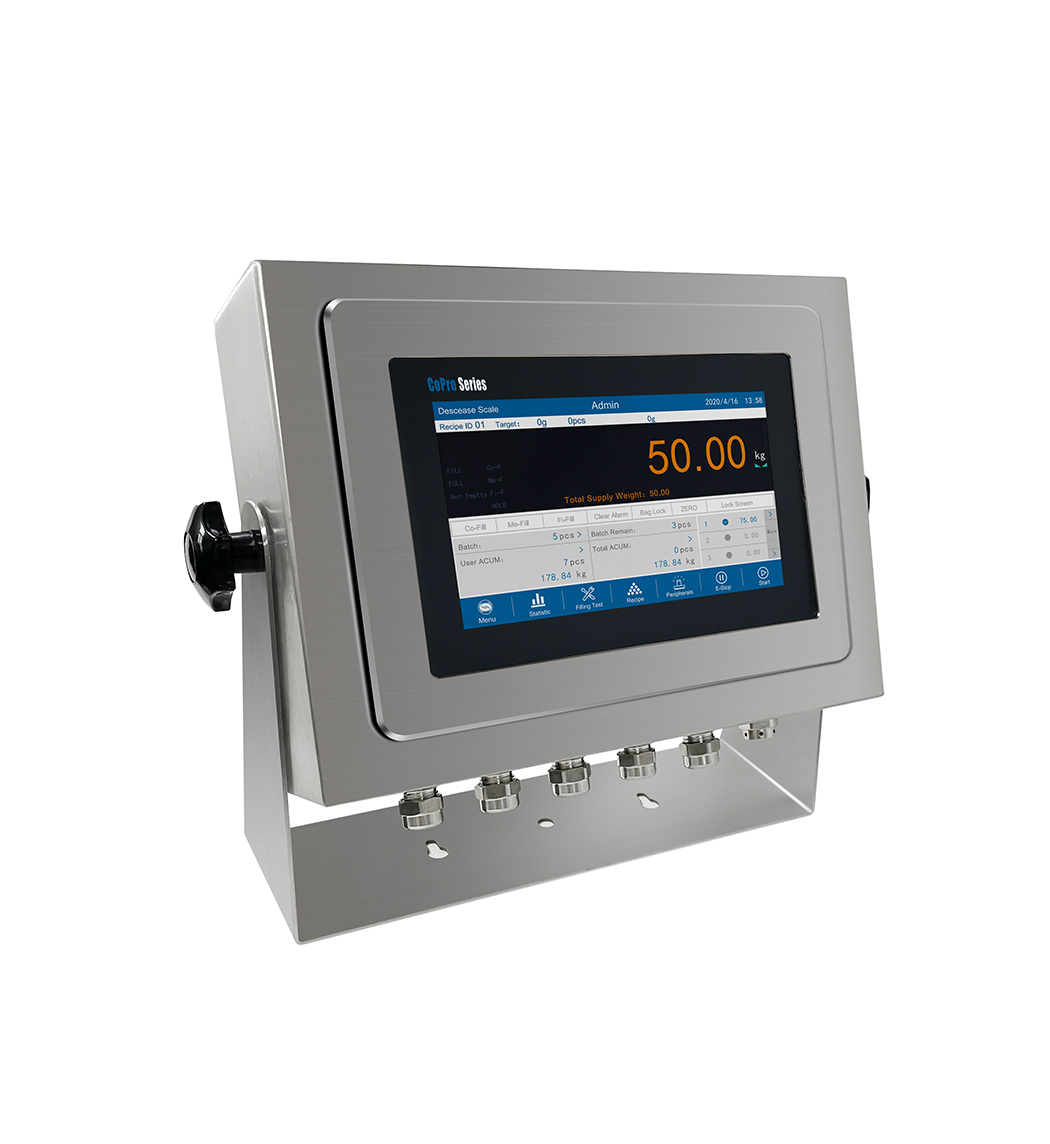
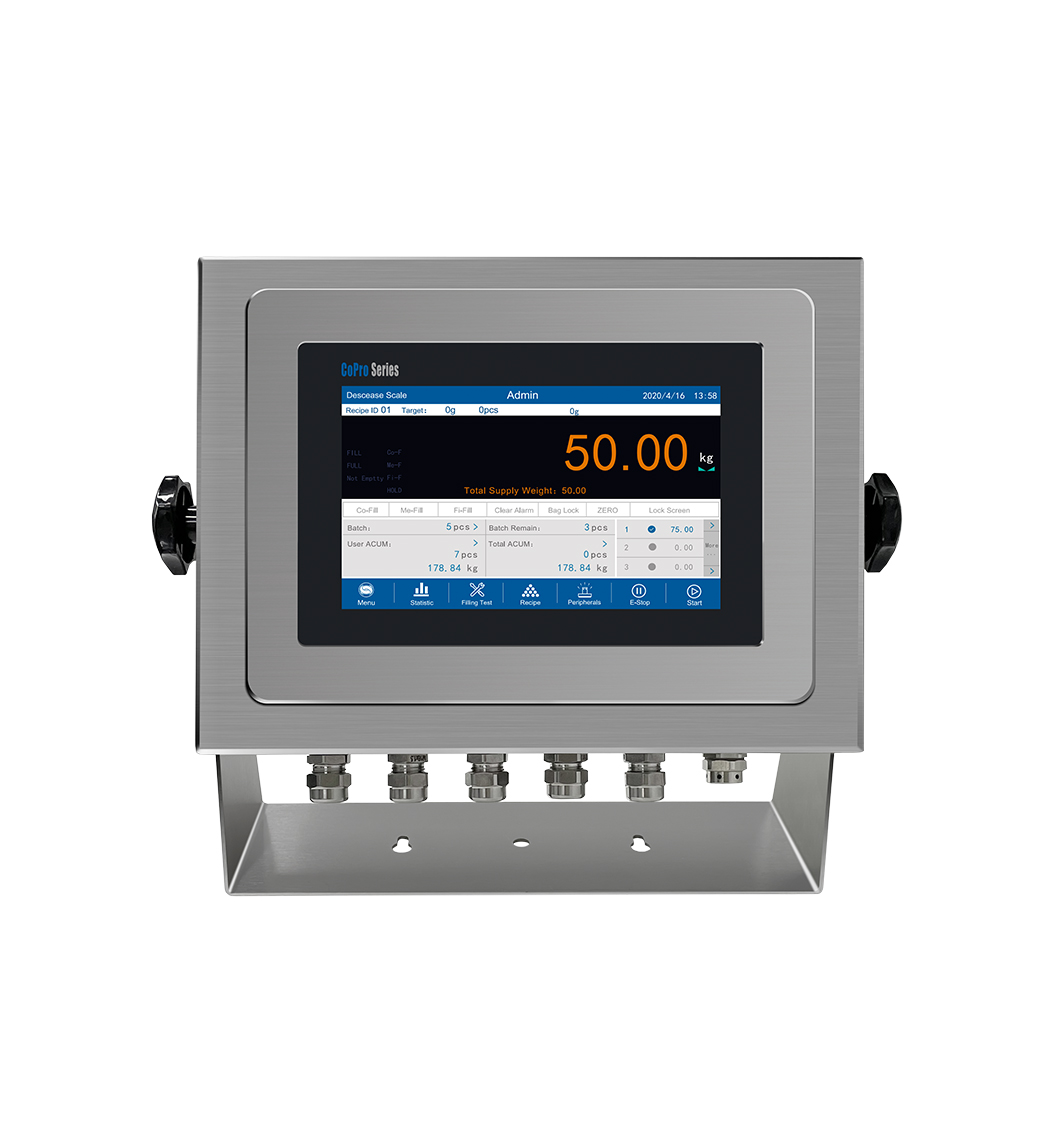
General Measure weighing controller GMC-P7 is coming into the market. The harsh desk/wall mount installation version is added into the series for different applications. It is designed for dynamic weighing applications, such as single hopper packing machine; double hopper packing machine; reduce weight method packing machine; bulk scale, and batching scale.
 |  |
Stainless Steel Housing
Suitable for harsh environment weighing applications. With mounting brackets for desk-top or wall-mount installation. Integrated power supply unit, sealed cable glands for connections.
Universal Use
Suitable for difficult environmental conditions and locations with high hygienic standards, as in the food, pharmaceutical and chemical industry. Multiple software can be selected for different equipment: single hopper packing machine; double hopper packing machine; reduce weight method packing machine; bulk scale and batching scale.
User-friendly Operation
Fast and error-free operation is ensured by a color display on the touch screen for the indication of weight, IDs, formula and so on.
According to General Measure's International business strategy, we are looking for exclusive business partners based on countries around the world.
Our products include Weighing Indicator with OIML qualified, Checkweigher, and Bagging Scale.
At present, we have cooperation with 12 exclusive partners in different countries and areas.
We are sincerely looking forward to cooperating with you for boosting our business.
