
http://dlvr.it/T6phZT
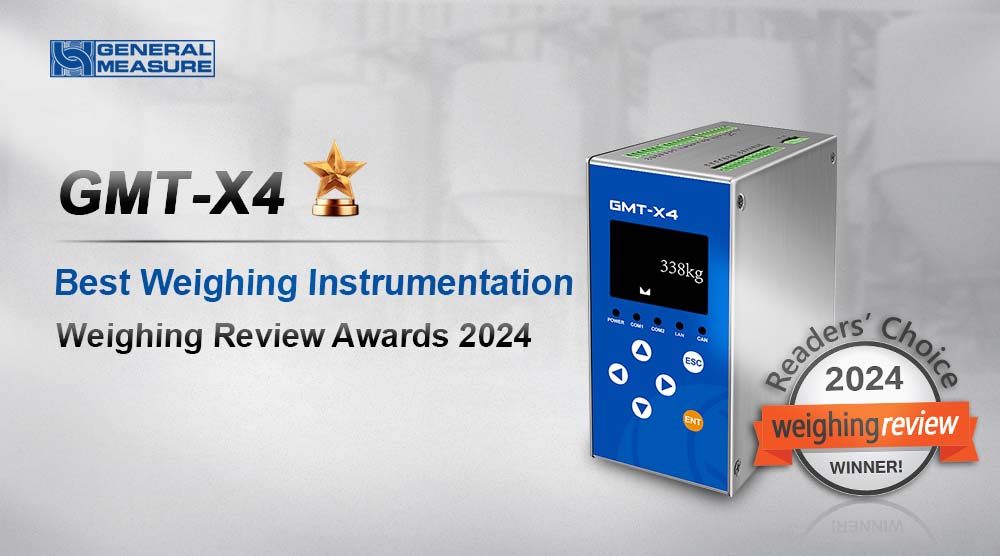
To all dear clients, thank you for voting for General Measure on the Weighing Review Awards 2024. We are happy to share with you that General Measure won three categories:
| Category | Company/Product |
| Best Weighing Companies (3rd Place) | General Measure |
| Best Weighing Instrumentation | General Measure GMT-X4 |
| Best Dosing, Filling, and Packaging Solutions | General Measure AF-01K II |
GMT-X4 is a DIN rail-mounted weighing transmitter with four channels. When one of the four channels' load cells is damaged, GMT-X4 will automatically identify and give an alarm message on the screen. It has a compact design, stable performance, and easy operation, which can be used for various weighing applications, such as weight checking, loss-in-weight, liquid filling, batching, vessel and silo weighing, etc.
There are two modes: one is with four individual ADs working separately; the other one is a four-channel combination mode, that is, a weighing indicator with an intelligent junction box built in can easily monitor the defaulted load cell. The main display of the combination mode shows the total weight up to 6 digits. It also has four-channel weights display and a simultaneous millivolt display.
 |
Hardware Highlights
(Option1,2,3 can be selected at the same time)
A high-speed dual packing filler AF-01K II for packing the granular materials from 50g to 1kg. The speed can reach 3600pcs/h and the accuracy is ±2g. It's suitable for various kinds of granules like rice, beans, coffee beans, millet, salt, sugar, and so on. The great performance makes it ideal for the replacement of multi-head combination packing machines and volumetric method packing machines, which improves production efficiency and quality and reduces costs.
Step motor plus vibrator feeding-type and pneumatic discharging-type guarantee the stable while speedy packing. The smart algorithm supports a self-adjust function with a target value set only. Then the machine will automatically optimize the packing weight approaching the target by adjusting fast feeding, vibrator feeding, or other mechanical parts, which is quite easy to operate.
 |
The CW-15K online check weigher has a wide weight range and high accuracy, And it can run with the rejector. It is suitable for checking weights and counting packaged products from 1 to 15 kg. The best accuracy can be ±5g, and the highest speed can be 85pcs/min.
The standard weight of this lobster box is 4.5kg. Any box over- or under-weight (±50g) will be rejected, which saves cost and guarantees the brand quality.
Hi, welcome to General Measure's channel. In this video, we will demonstrate the M04 packing process simulation in the hopper mode.
There are 5 steps for packing simulation:
1. Calibration of weighing indicator
2. Select the scale mode
3. I/O definition
4. Set the formula parameters
5. Simulation packing process
Calibration of weighing indicator
After the calibration of the weighing indicator(refer to the M04 calibration video)
Select the scale mode
Press【M】to enter the parameter list, select the working parameters
Press【Enter】, find the scale structure, select the hopper packing. Working mode and feeding mode are chosen according to the application. Other parameters remain at the default value. Then press【ESC】to return to the previous menu page.
I/O definition
Select the I/O in the menu parameter list.
When selecting the scale mode, the I/O is automatically set to correspond to the chosen scale.
Press【Enter】to check the definition of the I/O ports.
Normally, we use outputs as running, stopping, fast feeding, medium feeding, slow feeding, clamp bag, fixed value, etc.
Inputs as start, emergency stop, zeroing, clear alarm, clamp or loosen bags, etc.
In general, the I/O set by the system is enough to use. But if we want to use other inputs or outputs, they can also be set. Then press【ESC】to return to the previous menu.
Set the formula parameters
Select the recipe parameters in the menu parameter list
There are 20 formulas can be set. The user can change it according to the application requirements.
Press【1】. The formula number modification box pops up. You can enter 1-20 to modify the formula. Here, we select formula 1 and press【Enter】to check and set the parameters under formula 1.
We set the target value of 5kg, 3kg of fast feeding, 1kg of medium feeding, 0.5kg of dropout value, 0.02kg of zero zone value. These parameters can determine the open size of the feeding mechanism. For specific instructions, please refer to the manual (16 pages). The corresponding time of the operations in the process can be set under the dosing timer parameter. Here, we keep the default parameters. For other parameters such as over- or under-weight, drop correction, clap the bag, and so on, please check the manual (page 17). Then press【ESC】to return to the previous menu. The packing parameters are all set.
Back to the main page, we can see the current formula, target value, total accumulative weight, total times, etc.
We can also press【ENTER】to choose and set the different working parameters by pressing the corresponding numeric keys.
Simulation packing process
Now, we carry out the packing simulation of M04.
The first step: start signal input is valid, wait for the feeding delay, output feeding signal, at this time the scale starts feeding.
The second step is the feeding process according to the set value, through fast, medium, and slow feeding. When the current weight ≥(equal or over) target value -(minus) fall value (5.00kg - 0.50kg), the feeding process enters into the fixed value state and outputs the fixed value signal.
The third step is the input bag clamping signal, and the scale starts discharging. When the current weight ≤ (equal or under)zero zone value (weight ≤ 0.02kg), discharging is completed. After the discharging delay, loosen the bag, and one pack of packing is finished.
On the main page, you can see the updated total accumulation, formula accumulation, and so on.
Other functional parameters are described in detail on page 16 of the manual.
That's all for today's video. We will continue to bring videos of the latest products. Subscribe to General Measure's channel. See you in the next video!


